Backup and restore
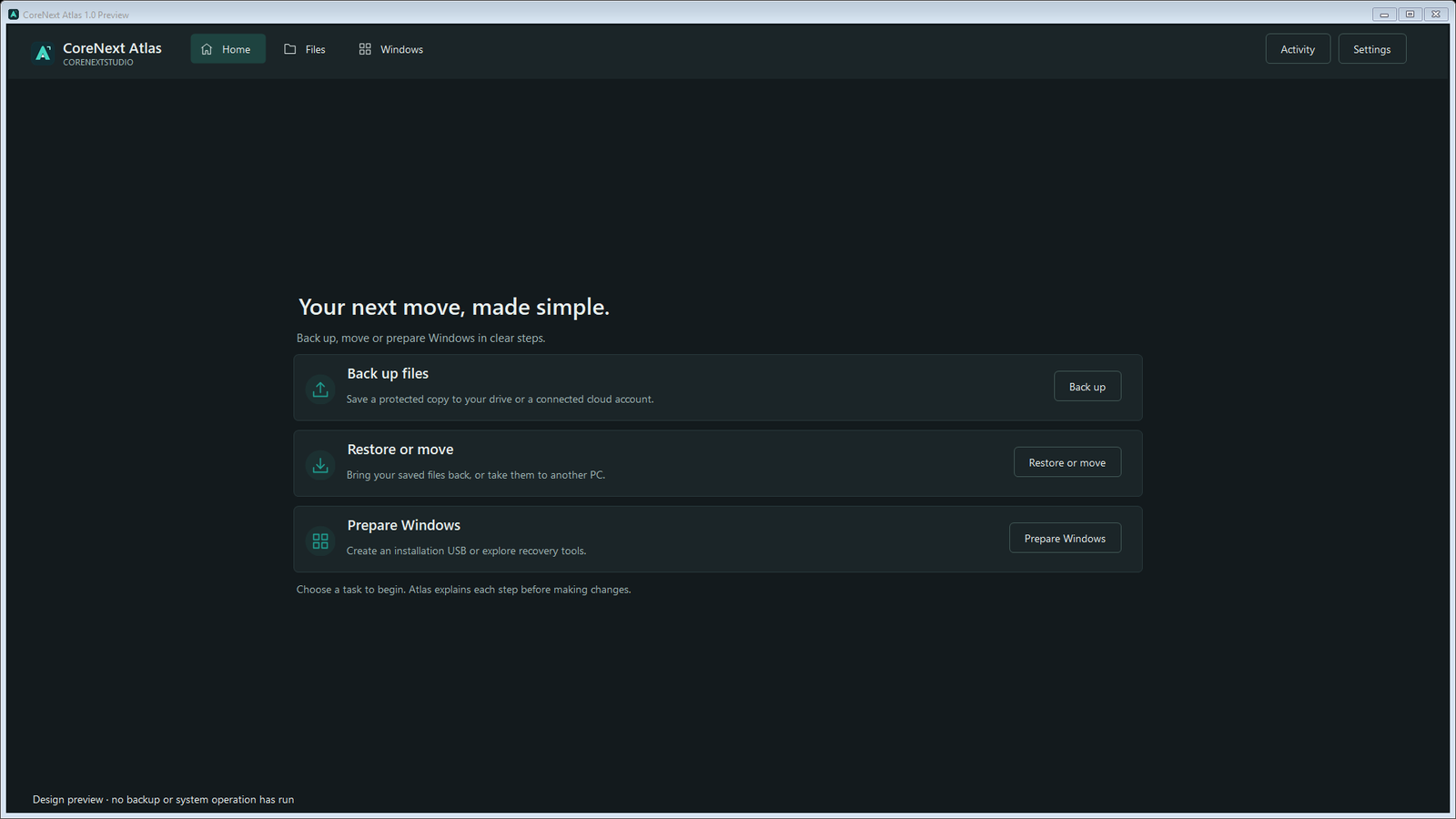
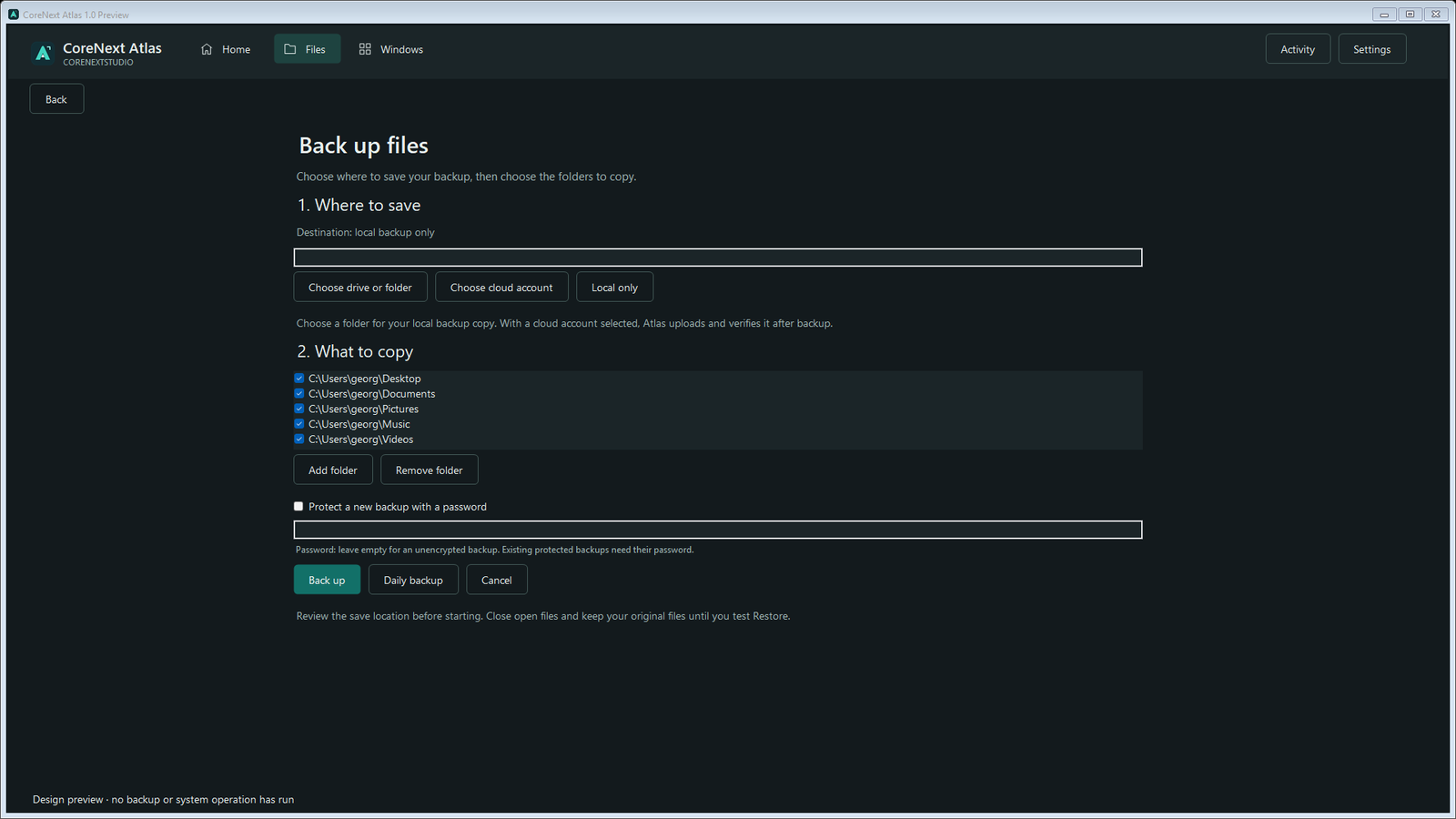
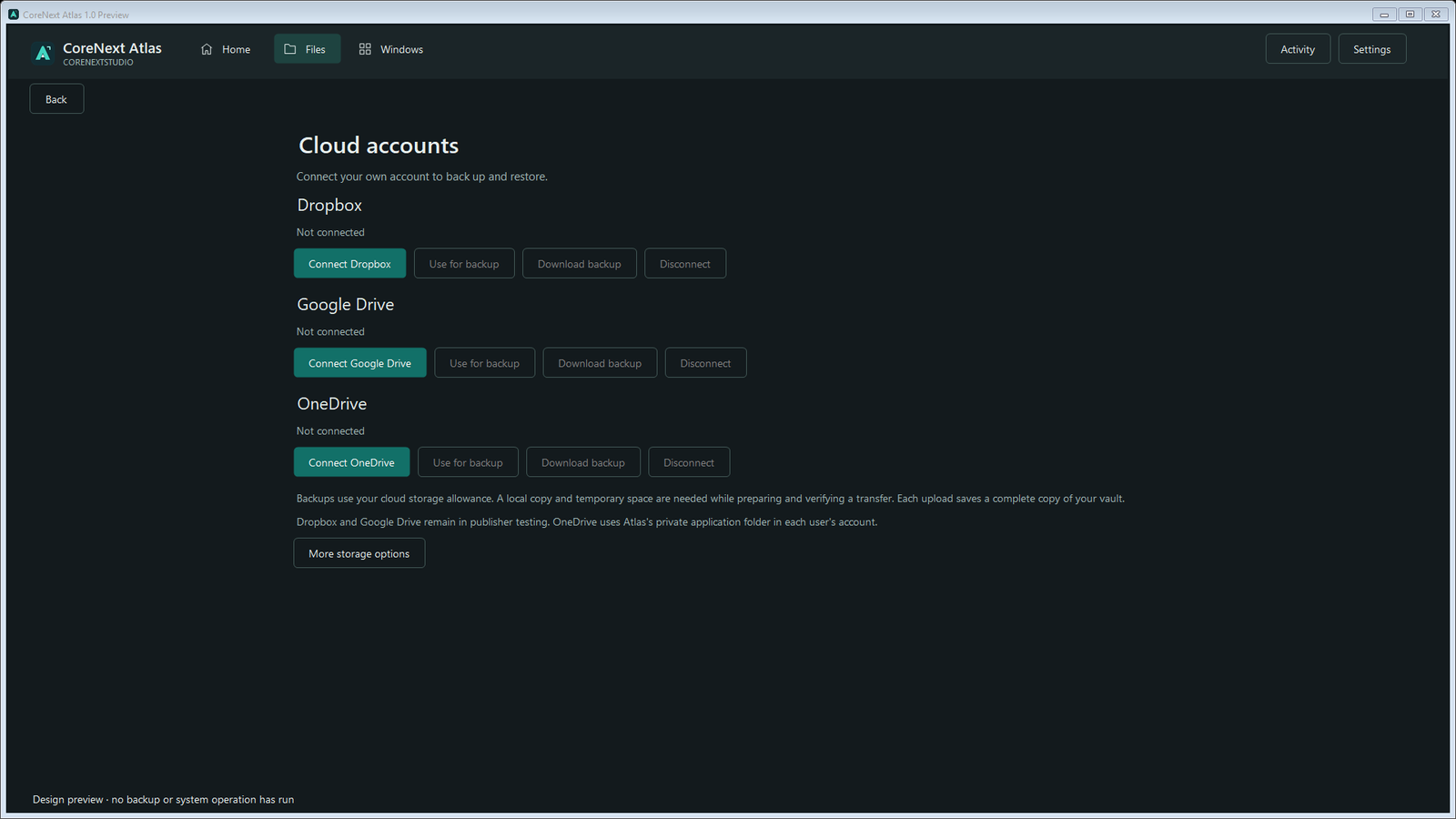
Back up selected folders to local, external, or supported cloud storage. Verify data and restore into a new folder without overwriting files.


BY CORENEXTSTUDIO
Back up, restore, and move files; prepare Windows installation media; and use local or supported cloud storage.
Windows 10 or 11 x64 intended · Tested on Windows 11 x64 · Free to use
Digitally signed and timestamped. Windows signature publisher: George Papadakis. SmartScreen reputation can take time for a new publisher.
BACKUP, MOVE, RECOVER
Back up selected folders to local, external, or supported cloud storage. Verify data and restore into a new folder without overwriting files.
Create password-protected encrypted backups. There is no password recovery service, so keep the password safely.
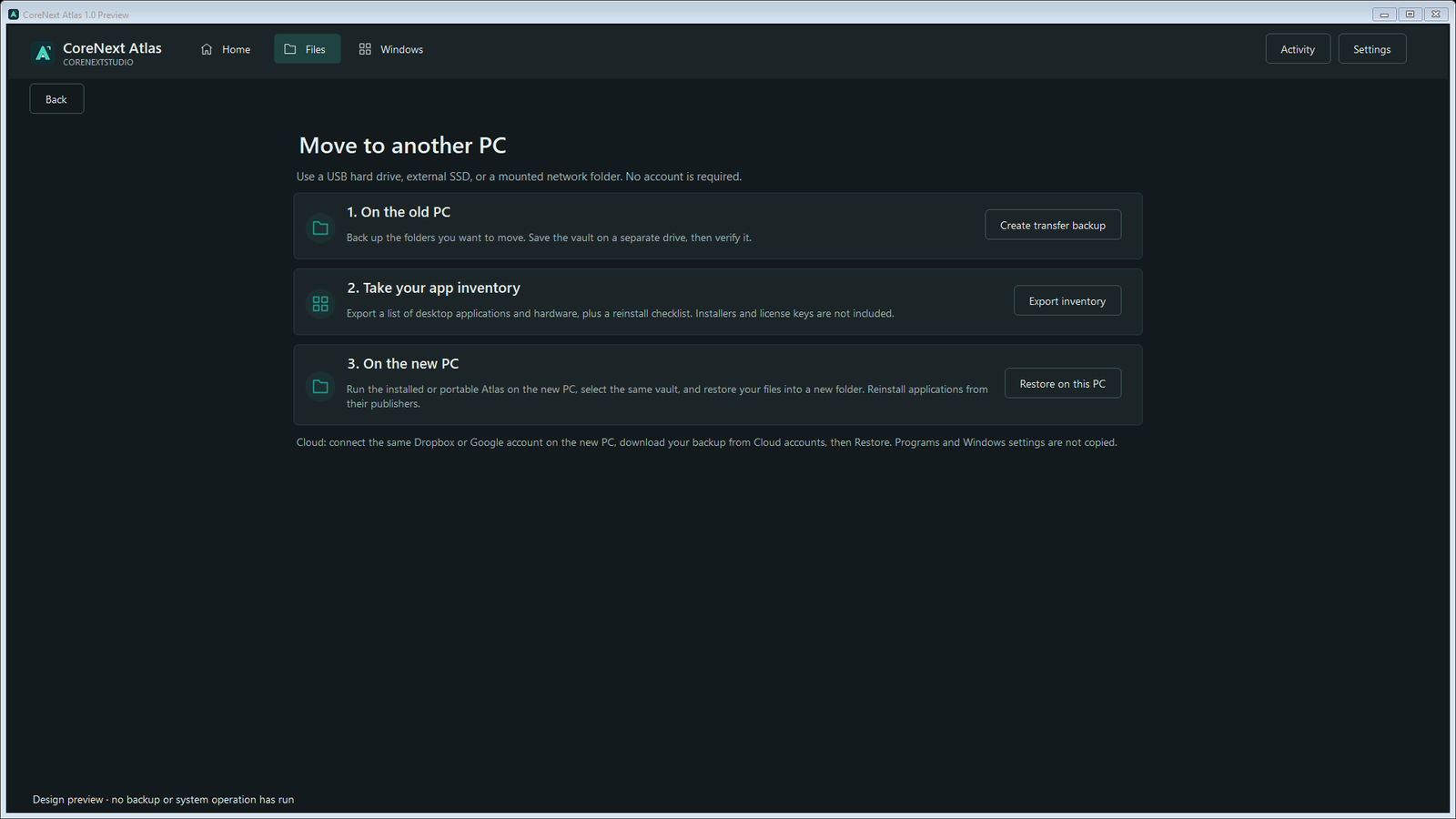
Move a complete Atlas vault and export an installed-app and hardware checklist.
Create Windows installation media from a selected ISO after a clear erase review and typed confirmation.
Open Windows recovery and system-image tools, and review storage, startup apps, and unused applications.
Use light, dark, or Windows theme and check for signed Atlas releases through the CoreNextStudio feed.
DOWNLOAD DETAILS
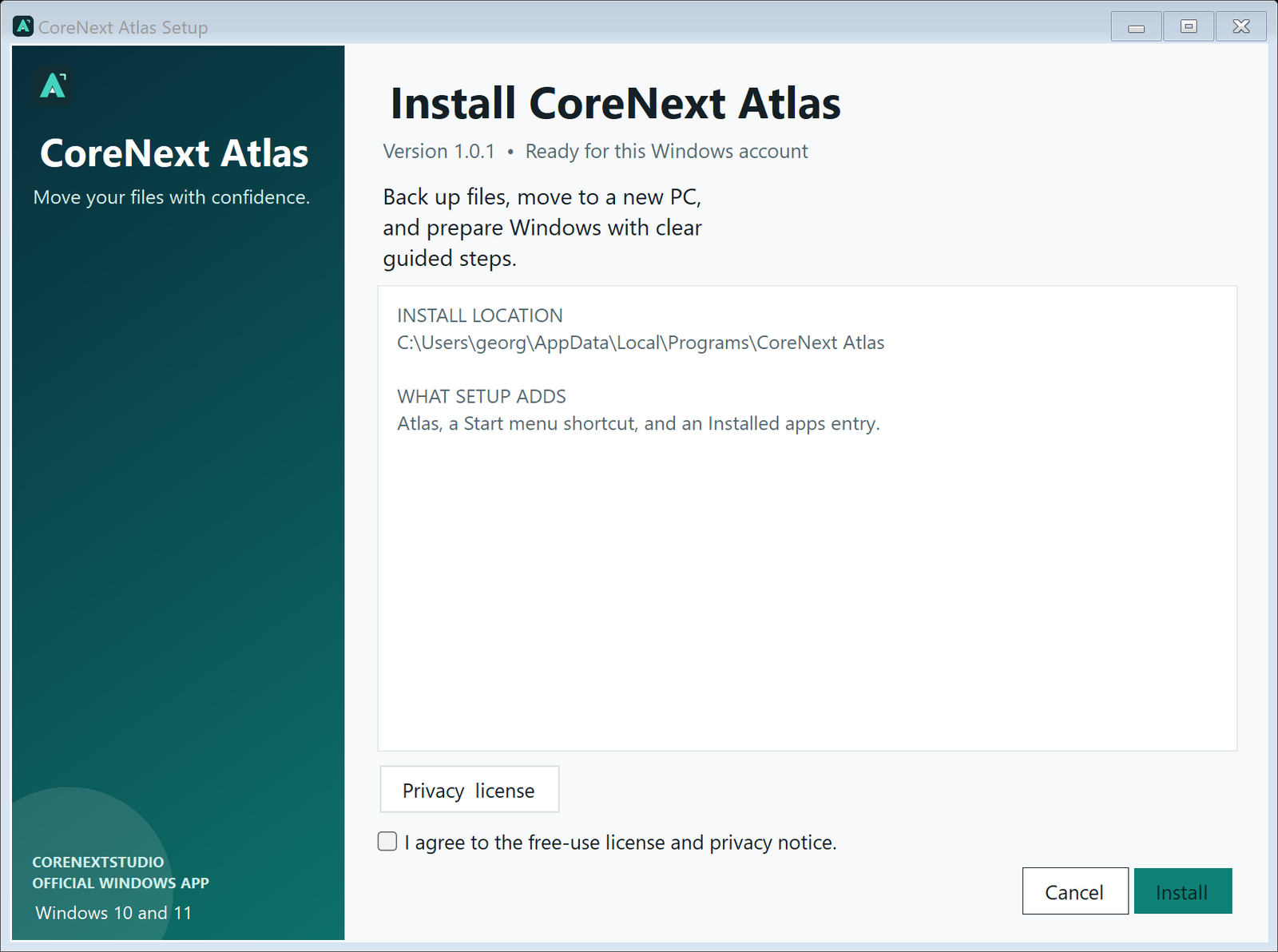
Installer: adds a normal per-user installation and shortcuts. Portable: extract the ZIP and run the app without installation; preferences still use your Windows profile.
Version 1.0.1 · Official Preview · Published September 10, 2026 · Free to use · Windows 10/11 · .NET Framework 4.8 or later
Atlas uses the .NET Framework available on supported Windows systems, so the download does not bundle a second runtime. The small file size is expected. .NET Framework 4.8 or later is required.
Exact sizes: 432,408-byte installer · 168,269-byte portable ZIP
Exact file sizes: 432,408 bytes (installer); 168,269 bytes (portable ZIP).
Installer800F41D105112DF4E4A285F1D466357D1E6FFB195E6A951C5AEAF01EB4BEB6C6
Portable ZIP0201EBBDD67516C20305F1D87683259FB4A4DB0DCDD537480CCE0457C127B30B
DOWNLOAD SAFETY
New applications can be marked uncommon or suspicious by a browser until they build download reputation. Both CoreNextStudio installers and the applications inside the portable ZIPs are digitally signed and timestamped through Microsoft.
Verify the filename, publisher shown by Windows, and SHA-256 checksums before running a download. Keep browser and Windows security enabled.
Release verification: signatures valid and timestamped for George Papadakis; published SHA-256 values match the verified release files.